Describe it. SchemSmith builds it.
Text to Minecraft structure. SchemSmith writes the build, renders it in your browser, checks its own screenshots, fixes what is off and hands you a .schem or .litematic for WorldEdit and Litematica.
About €4 per build
- Works with
- WorldEdit
- Litematica
- Java 1.21.11 and newer
Free to explore. Buy a credit pack to build. Credits never expire.
-
1 You describe itOr attach a reference photo SendPlain words. Style, palette, scale, what to keep, what to change.
-
2 SchemSmith works round 1
- Planning the layout
- Writing the build script
- Rendering 3 views
- Review: corner turrets too short, gatehouse wall bare
- Fixing turrets and gate, re-rendering
- Review passed
It looks at its own render and iterates until the views match the brief. -
3 You get the build
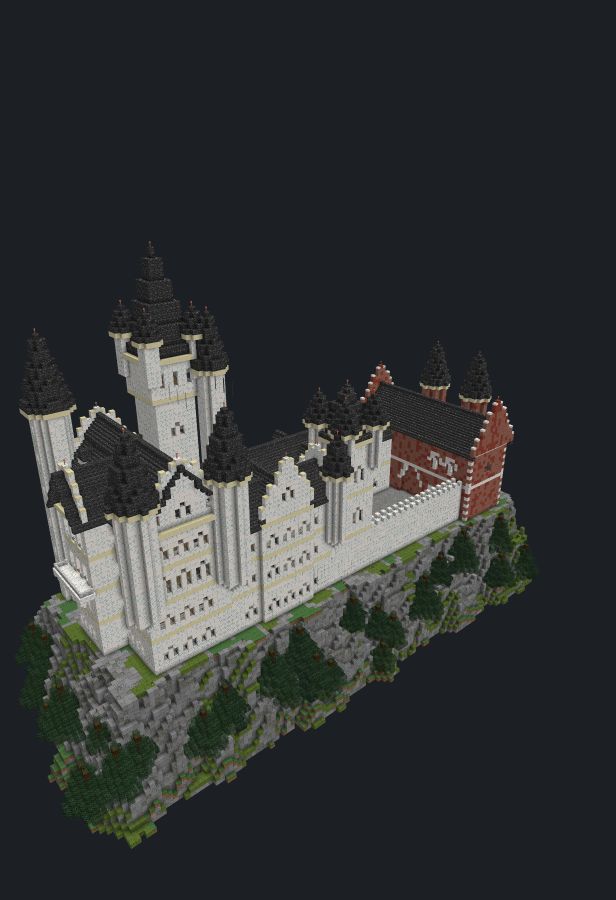 The render appears here once the review passes
Drag to look around
.schem.litematicmaterial listlayer viewPaste it into your world with WorldEdit or Litematica.
The render appears here once the review passes
Drag to look around
.schem.litematicmaterial listlayer viewPaste it into your world with WorldEdit or Litematica.
Built with SchemSmith
See all builds →Every build below came out of SchemSmith from a written prompt: ours are free to download, the ones players published cost a few credits. Look at each from three sides, then take the .schem or .litematic, or open it in the app and change it.
How it works
Describe
Type what you want or attach a reference image. Mention style, materials and size if you care about them.
Watch it build and check itself
SchemSmith writes a build script, the browser renders it with vanilla textures, and the AI reviews three views of the render and fixes what is off.
Export
Fly around the result, step through it layer by layer, then download a .schem for WorldEdit or a .litematic for Litematica.
Builds that look good
Because the AI sees its own render, roofs line up, proportions hold and details land where they belong.
Survival-safe
Unsupported blocks are caught before export, and dark corners get light so nothing spawns inside.
Yours to edit
Every build is a readable script. Change a palette, resize a wing, run it again. Import your own .schem too.
Pricing
Credits, not subscriptions. Packs are sized in whole builds, and credits never expire. A typical build uses about 240 credits; a big one uses more, a simple one less.
-
Free
€0- 3D viewer, layer view and material list
- Script editor and the free builds
- .schem and .litematic import and export
-
Credit packs
Soon- Sized in whole builds
- Every quality level included
- Every quality level included
Prices include VAT where it applies. Payments and invoices are handled by our payment provider, the merchant of record.
Questions
Anything else: [email protected]
What does a build cost, and what if it fails?
A typical build uses about 240 credits, about €4 depending on the pack. Credits are charged per round as each round finishes, so a simple build costs less and a big one more, and a build never spends more than your balance.
If a build stops partway, the rounds it finished (and any part of a round already written) are charged and not refunded. A request that fails before the AI starts answering costs nothing. The last version stays in your Builds list: export it, or open it and send a message such as “continue” to carry on.
Can I get a refund?
Yes. A pack you have not used at all is refunded if you ask within 14 days of purchase. If you have used part of a pack, we may refund the unused credits pro rata at our discretion. Credits already spent on builds are not refunded.
A refund always covers the whole pack, so the credits left of it are removed from your account. Every refund is paid minus the payment processing fee for your order, which the payment provider keeps even when an order is refunded. We tell you the exact amount before we send it.
Email [email protected]. The money goes back to your original payment method.
What will I see on my card statement?
The charge shows as SCHEMSMITH. Checkout runs through our payment provider, which is the merchant of record and issues the invoice for your order.
Was it trained on other people’s builds?
No. SchemSmith never trained an AI model, on builds or anything else. A general-purpose AI model reads your prompt and writes a build script, SchemSmith renders it, and the model looks at screenshots of its own render and fixes what is off. There is no schematic dataset, nothing scraped from schematic sites and no fine-tuning on community builds. During a build the model sees your prompt and its own work, plus a community build if you open one yourself to remix it.
The general model was trained by its developer on broad data before we used it. We can’t list that data, so we only vouch for what SchemSmith does. Your prompts and builds are not used to train models (see Privacy).
How do I paste a build with WorldEdit?
Download the .schem and put it in plugins/WorldEdit/schematics/ on your server (single-player with WorldEdit on
Fabric: .minecraft/config/worldedit/schematics/). In game, run //schem load <file name>, stand
where the build should go and run //paste. Add -a to skip air blocks and keep the terrain inside
the build’s box. Wrong spot? //undo and paste again.
The .schem needs WorldEdit 7.3 or newer. For older versions, pick “.schem v2” in the app’s Export menu.
Does it work with Litematica?
Yes. Download the .litematic, put it in .minecraft/schematics/ and load it in Litematica, where it shows as a
see-through placement you can move and rotate. Litematica can also import our .schem files.
Java or Bedrock?
Java Edition only. Builds use Java 1.21.11 blocks and export as .schem (WorldEdit) and .litematic (Litematica). The files paste into 1.21.11 and every newer version, 26.x included, since newer versions update older files when they load them. There is no Bedrock export yet.
Can I build it in survival?
Yes. Blocks that need support (torches, lanterns, doors, plants and the like) are checked the way the game checks them, and any block nothing holds is removed before export, so nothing pops off when you place or paste it. SchemSmith also lights the rooms and checks for dark floor inside where mobs could spawn.
Every build comes with a material list in stacks and shulker boxes, so you know what to gather. Whether pasting is allowed on a survival server is up to its rules.